 CabinView
One field. Any next step.
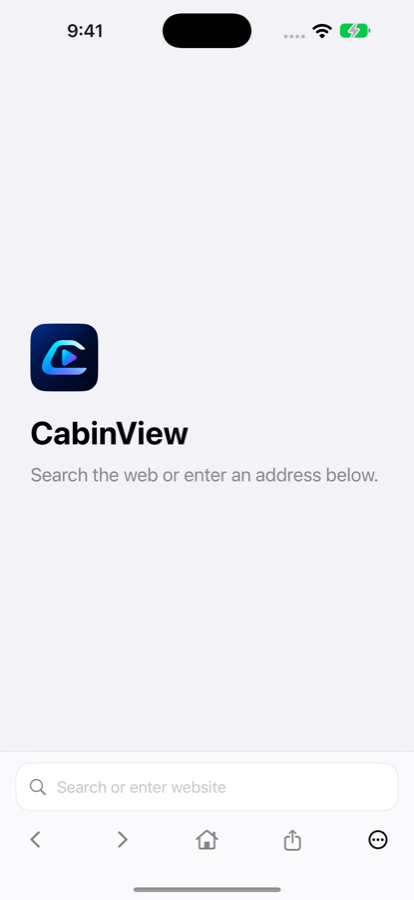
Type a website address or a search. CabinView opens secure web addresses and sends searches to Google.
A focused browser for iPhone
Your next search. Your familiar websites. CabinView brings them together in a simple, native browser that feels right at home on your iPhone.
Made for iPhone · iOS 27 or later · By Kod Labs
Less in the way
Small, thoughtful essentials make the everyday feel effortless. Find a page, pick up where you left off, and keep your next move within reach.
Type a website address or a search. CabinView opens secure web addresses and sends searches to Google.
WebKit keeps website cookies and sign-ins on your iPhone between visits. Return home without losing your current page.
Go back, move forward, reload, share a link, or choose an available playback destination. All with native controls.
From your first search
No new account to create. No elaborate setup. Just a clear starting point for the web.
Use the field at the bottom to find something new or visit a website you already know.
Swipe between pages, share what you find, and return to the start page whenever you like.
Ready for a fresh start? More → Clear website data removes CabinView’s stored website data and signs you out.
Thoughtfully simple
CabinView has no app account, analytics SDK, or advertising SDK. Website sessions stay in WebKit’s storage on your iPhone.
Read our privacy policyA playback companion
Choose content and start supported website media on your iPhone while safely parked. CabinView’s CarPlay menu gives you access to the system Now Playing screen.
Webpages stay on your iPhone. Playback depends on the website and connected hardware. CabinView does not add webpage or video display to CarPlay.
A few useful details
Have something else in mind? We’re an email away.
An iPhone running iOS 27 or later and an internet connection. CarPlay features need a compatible vehicle and the appropriate setup.
Websites can keep you signed in using WebKit’s on-device cookies and storage. Some providers restrict sign-in inside embedded browsers, so support varies by website.
Website providers decide whether embedded, background, or external playback is supported. Available playback destinations also depend on your connected hardware.
Open More → Clear website data and confirm. This removes stored website sessions in CabinView and signs you out of those websites. Other browsers are unaffected.